Inglês
Português
Polonês
Espanhol
Sueco
Alemão
Contentbox headline
Download Client

Valantis Client

Click 'Download client' below.
Extract the Zip file.


Inside the extracted folder, you will find two executable files:
  • Valantis_dx.exe
    • Recommended for systems with DirectX support.

  • Valantis_gl.exe
    • Recommended for systems with OpenGL support.
      OpenGL client is currently unavailable

Do not extract data.zip. If you extract data you will not receive updates.


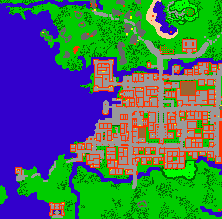
Minimap

Click 'Download Minimap' below.
Extract the Zip file.


Inside the extracted folder, you will find two files:
  • minimap.otmm
    • Open the client at least once and close it.
    • Move to %appdata%\Valantis Online\Valantis Online

  • minimap_installer.bat
    • Open the client at least once and close it.
    • Run to automatically install minimap.

Close client before installing minimap. If you install minimap without closing client, the map will not save.

Note: This minimap does not contain new areas or spawns - these need to be explored.

Client Problems?

Required OS: Windows 7, 8, 8.1, 10 or preferably 11
If you have problems starting the client, install microsoft vc_redist.x86.

Disclaimer
The software and any related documentation is provided "as is" without warranty of any kind. The entire risk arising out of use of the software remains with you. In no event shall Valantis be liable for any damages to your computer or loss of data.
Server Save Time

0

1

2

3

4

5

6

7

8

9

0

1

2

3

4

5

6

7

8

9

:

0

1

2

3

4

5

6

7

8

9

0

1

2

3

4

5

6

7

8

9

:

0

1

2

3

4

5

6

7

8

9

0

1

2

3

4

5

6

7

8

9

Map Clean Time

0

1

2

3

4

5

6

7

8

9

0

1

2

3

4

5

6

7

8

9

:

0

1

2

3

4

5

6

7

8

9

0

1

2

3

4

5

6

7

8

9

:

0

1

2

3

4

5

6

7

8

9

0

1

2

3

4

5

6

7

8

9

:

0

1

2

3

4

5

6

7

8

9

0

1

2

3

4

5

6

7

8

9

Streamers
Loading...